 由 liubin
一、Docker安装
sudo apt install -y docker.io

#安装完成信息查看
docker info
二、镜像加速配置清除(如有)
sudo mkdir -p /etc/docker
sudo tee /etc/docker/daemon.json <<-'EOF'
{}
EOF
三、v2ray客户端安装(本案例代理服务为v2ray,故按v2ray示例,若已有http或https代理可跳过这步)
在线安装(访问github网络慢,可能会中途失败,可使用离线安装):
bash <(curl -L https://raw.githubusercontent.com/v2fly/fhs-install-v2ray/master/install-release.sh)
离线安装(从github下载的官方客户端压缩包):
下载离线安装脚本与客户端包:
点击下载:https://pan.quark.cn/s/c4b09f27bdb5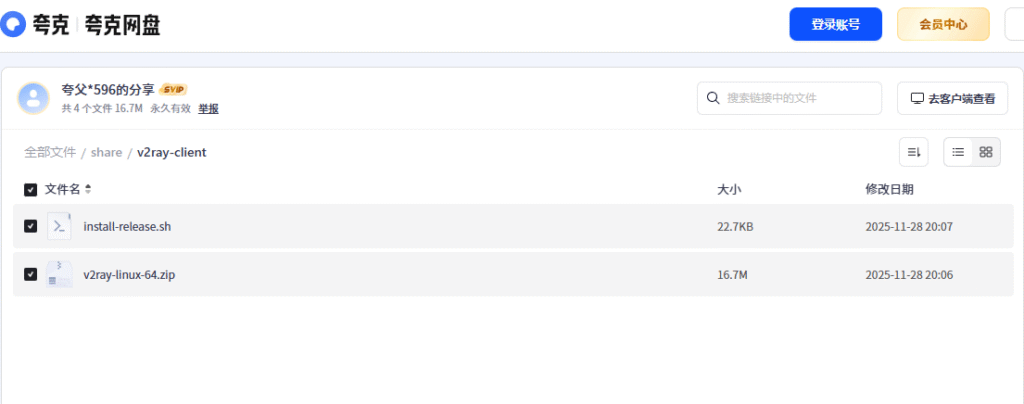
上载文件到服务器任意相同目录下,并在该目录下执行如下命令进行离线安装:
bash install-release.sh -l v2ray-linux-64.zip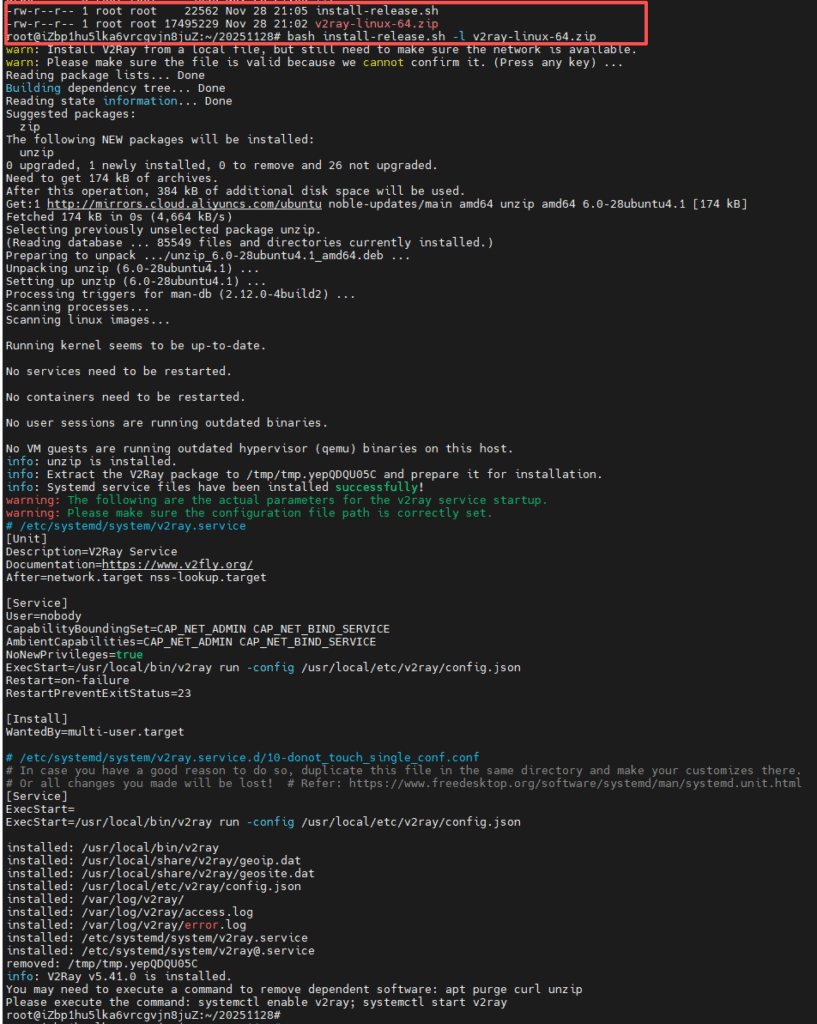
导出v2ray客户端配置(保存为: proxy.json)
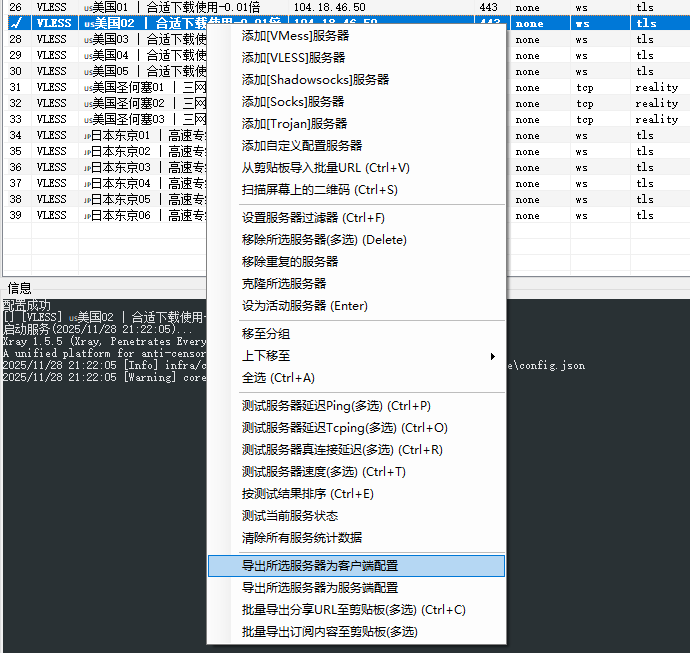
上载proxy.json到ubuntu并覆盖v2ray客户端配置,并启动v2ray客户端
cat proxy.json > /usr/local/etc/v2ray/config.json

systemctl enable v2ray
systemctl start v2ray
配置Docker代理并重启Docker
cat > /etc/systemd/system/docker.service.d/proxy.conf << EOF
[Service]
Environment="HTTP_PROXY=http://127.0.0.1:108091"
Environment="HTTPS_PROXY=http://127.0.0.1:10809"
Environment="NO_PROXY=localhost,127.0.0.1,192.168.0.0/16,10.0.0.0/8"
EOF

sudo systemctl daemon-reload
sudo systemctl restart docker- 以上端口(10809)选取配置中http协议对应端口 ↩︎
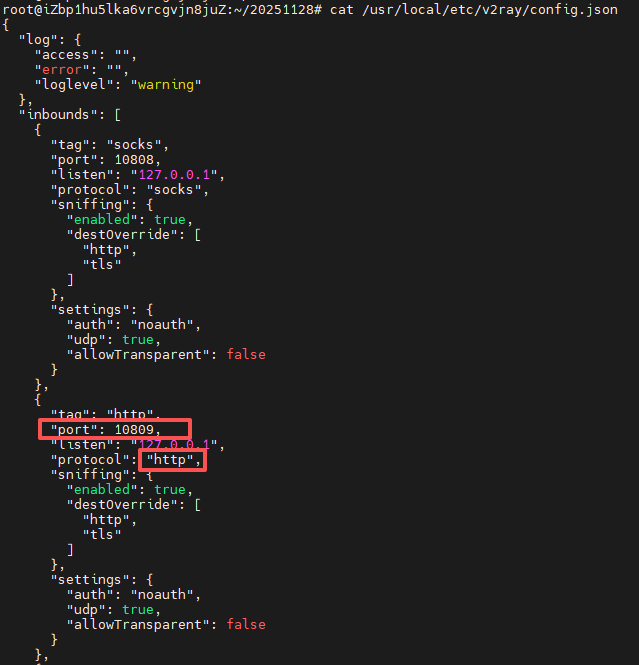
至此已可拉取:
